
Cambridgeshire Forest School conference 10 November at Grafton Water.
My workshop aimed to stimulate discussion as to the value of using technologies in FSA settings.

I am certainly not a techno-geek wanting to promote the latest gadgets but I do see portable digital technologies as potentially valuable learning tools in the outdoors. I also think that technology free experiences can have profound benefits. As they become more pervasive I think one of our key issues is deciding when and where to use or abandon such technologies. In situations where we decide to use them outdoors it is also important to consider how to use them safely, imaginatively and effectively.
My background includes a lot of experience of working outdoors with children and working with digital technologies in the classroom and in a wide range of online learning contexts. Like many teachers most of what I have done has been purposefully linked to curriculum such as; taking digital cameras into the field and using them to catalyse the learning experience by placing the children in the role of scientific explorer / journalist and giving them tools they can use to capture and share their experience. The current set of mobile or portable technologies evolved rapidly, we have gone from from a field notebook and pencil to increasingly high definition digital cameras and today apps such as iRecord Ladybird that enable anyone, who has a smart phone or tablet, to identify an insect by photographing it and rapidly comparing it with a database. They can learn about it from the stored information and then upload a photo of the sighting that automatically has location data attached to it. Somewhere in the depths of a university a new dot appears on a map and the scientific data has expanded.

There are many similar initiatives including http://www.ispotnature.org We have moved a long way from scribbling on soggy or muddy notepads. The potential to use portable technologies to contribute to real world research in the field may offer benefits in terms of increasing motivation to learn, developing ICT skills, developing curriculum knowledge and learning how to capture and present information.
I talked to Chris Holland about natural musical instruments on the day before the workshop. Over on the the totally natural end of the scale are those lovely dry remains of branches still attached to a tree or on the ground, old tree stumps, stones, pinecones. It seems natural to improve what is already there, wood can be size/tone ordered and hung on twine or rope to make a xylophone, each piece of wood can be modified to make a tuned xylophone. A vast diversity of instruments have evolved some with sophisticated engineering. Those shown below could all be used for song and dance as well as communicating at a distance, they were the mobile phones of the day. All are usually welcomed around a camp fire.

Below is one of the photos taken at the Spring conference, almost everyone has some tech with them that could be used to record images, video and text notes or use apps to contribute to citizen science projects. We only had a few minutes outdoors but phones started to sprout ears or had natural things put on them. I don't know whether they were becoming part of nature or what this meant to each of us but it was a thought provoking 5 minutes for me.

Mobile devices have stunning capacity for creating and recording sounds. A growing proportion of professional music / video is made by people in different parts of the world making individual recordings and collaboratively building a complex multi tracked and high quality song / video without ever meeting. For a group of creative 13 year olds recording and mixing sounds is just a thing they would do for fun. For them using their phones to communicate and to make music is as natural as as playing together on real instruments. A day of recording natural and played / sung sounds and mixing music round a campfire might not initially appeal to many practitioners but might be a good hook to encourage children to spend time in their natural environment. There are many interpretations of what is natural, how do you feel when you go out without a mobile phone; is that a natural thing to do?
This is a tree that was just crying out to be hugged and played on.

Hug the tree or grasp the iPad; how compatible are digital technologies and the Forest Schools ethos? Are you stuck with a dilemma - do you have a firm commitment to one way or the other or do you do a bit of wholegrain and a bit of light? As far as school curriculums go it makes sense to take technologies outside at times to enhance topic based learning and to develop technological proficiency. In those situations the technologies can be the reason to go outside or a useful tool to augment other activity. In other outdoor experiences it is the outdoors that is centre stage and children who are constantly connected to their mobile devices are unlikely to be sufficiently connected to nature. News that they are going to have a Zero Digital Devices Day might not raise any cheers from older children but once they are immersed in outdoor activities the loss will soon fade and the need to be self reliant can be thought provoking.
Tuff cases are not expensive new devices are.

One of the issues I meet time and time again is how intrusive technology is. Considering a technology such as a Djembe they are fairly intrusive in that they are heavy to lug around and can be loud when played - can be heard perhaps 5 km away on a still day. In comparison as far as size and noise goes most mobile devices and cameras are not intrusive, many mobile devices are small and light. If you wanted the same digital tech in the field 10 years ago you would have been carrying a digital still camera, a video camera and a top end laptop. Connectivity would have been limited. Today a small device in your pocket can record HD video, good stills, high quality audio and typed or screen written field notes as well as linking to the vast amount of reference information on the www and the user has the potential to upload automatically geolocated information gathered in the field or any other outgoing communication.
Then there is the potential to chat with friends anywhere any time, it is no wonder children develop attachment to their devices.These technologies have changed how people interact with the world around them and each other. To an observer watching a child tapping away at a screen or talking into one they appear antisocial devices and the word 'isolation' is often attached to them. To those using the devices they are a portal to a highly social experience. I recently listened to 4 boys playing Minecraft they were in each others' digital worlds in a constant communal dialogue agreeing on strategies for building new landscapes, helping each other find their way round places they had never been and building new castles. Huge bridges, forests, lakes and rivers wind through volcanic mountains, thee are towers miles high supporting rambling tree houses. Anyone in the game can destroy anything in the landscape but nothing gets destroyed unless they all agree to do a demolition job together. Several other children in the village were also in the same landscape. Conversations were very similar to the snatches that wafted through the wooded river valley earlier in the day as they played together in the real world. What looks like isolation to an observer can be a highly social experience where valuable skills are learned and deployed. While in Minecraft notifications of text conversations pop up and arrangements are made to meet friends in the park in 30 mins and a potential swimming trip at the weekend is discussed. The computer in their pockets is also coordinating their real world social interactions. That is a lot of attachment to give up when you head into the woods.
The two photos that follow are from Chris Holland's latest eBook "I love my world" and are used with Chris's permission.
The first shows a map of each person's found things. It is not easy to get adults to keep still sometimes but it is much harder to keep little ones still long enough for a photo. The effort is worth it to capture such a lovely artefact to remind them of the activity and days or weeks later to use to try and remember who owns which feet.

Twiggy sculptures.

Many of the following photographs were taken by or of my own children. In a school setting or outdoor residential where one camera is shared between several or many children it can be difficult to work out who took which photo when they get back and want to blog or print them. If children are each given a small rounded stone and paint or write on it their initials or a pattern or other identifying mark, this can be placed in a photo so there are no arguments.
I recently did some voluntary work as a Barefoot computing facilitator introducing school staff to the new curriculum changes and how they could build these into every day teaching including outdoor learning sessions.

1)Information technology - Within this strand, pupils will learn to create programs, systems and a range of content. Examples in the classroom will include researching for a project, publishing content (this could be producing a blog, or sharing Powerpoint presentations), producing graphs to represent data etc.
2)Digital Literacy – Within this strand, pupils will learn to use and express themselves, and develop their ideas through information and communication technology. In practice this could mean helping pupils understand the risks and benefits of interacting online, and helping them to shape their behaviours to be a good digital citizen. This could be discussing with pupils what makes a good password and why it is important to keep your passwords secret, how to make the best of using social media, effective search techniques or tips to write a good email.
3)Computer Science – Within this strand, pupils will be taught the principles of information and computation, how digital systems work and how to put this knowledge to use through programming.
Forest school activities are ideal for developing understanding of concepts such as algorithms and debugging. These concepts cam be taught as part of computational thinking without the use of digital devices. Developing a set of ordered and systematic instructions for tasks such as building and lighting a fire, creating a den or a recipe for outdoor food are good ways of developing understanding of what an algorithm is. These critters look great in a photo but they were made by my 10 year old for a stop motion animation he wanted to do. He used a Nikon P600 linked to an iPhone by WiFi, he took 128 stills moving things a little at a time then compiled them in iPhoto to make the animation. It is far from perfect but he was very proud of it and demonstrated some good self assessment / problem solving so he knows how to do it better next time. There is a world of difference between a still and animation they really come to life. He watched a Fast Show clip "Just a tiny amount"about an animation years ago and had always wanted to try it himself. Having done so we discussed the outcome analysing the result as a debugging exercise and he was able to identify what strategies were needed to create a better result next time.

Setting the camera to not show the time data was the most obvious but the stability and the need to use a tripod were also noted.
"Look what I did - take a picture of me and Sandy Wizard NOW!"

Most children and adults appreciate a record of special moments. Last year my boys were a few hundred meters off shore having canoed out to a reef. We didn't have a waterproof camera so our only camera was back on the beach when they encountered a friendly cormorant that was more than happy to dry it wings a metre or so from where they were standing. Fortunately it stayed for ages and I was able to paddle back and get our camera to capture the moment but the boys wished they had a waterproof camera especially when it let them follow it underwater.

In outdoor settings there are many opportunities to have special moments, unfortunately mobile phones and tablets are not cheap and are fragile so they are often not allowed on field trips or in local outdoor learning situations. It is often the teacher or other staff / helpers who are tasked with recording a school trip. That is better than no record but teachers are often very preoccupied with ensuring all goes well and the capturing of a record may be sporadic. A tough shockproof and waterproof camera would make it feasible for children to capture special moments and a record of good times.

Sandy message for a Christmas card

Seaweed Christmas tree

Design my perfect seaside house: a three children beach project in Galicia

Every house needs a dragon in the garden

One of those catch it quick moments

Lighting up icicles.

Same place but using a flash.

Who knows when a dragon might fly past when you are in the wild.
Without a camera there is no proof!

Two photos of the same view near St Neot taken by a 12 year old to illustrate wide angle and zoom.

Zoom in and distant animals in what looked like empty fields come into view, the remnants of old ridge and furrow field working can also be seen.

A £110 camera with a zoom lens can reveal detail the eye can not see. Functionality has increased and costs have reduced over the last few years.
Hand held shot with the same camera. Its not perfect but the young man who took it was fascinated by the relief on the craters near the edges. 23 photos to get one that worked, no tripod with us so improvisation was needed and developing leaning / breath holding strategies improved the shots - so problem solving and perseverance skills also coming into play.

What did we find?

What can you see in a fire? Most children spot the strange and entirely natural sprite like shape on the right made by the flames. This is a single frame taken from some experiments with videoing flames from a large bonfire and used as a banner on the Notschool project learning resources site.

Get in close with Macro, a hand held photo by a 13 yr old.

Three photos taken by a 9 year old.
Swallowtail caterpillar.
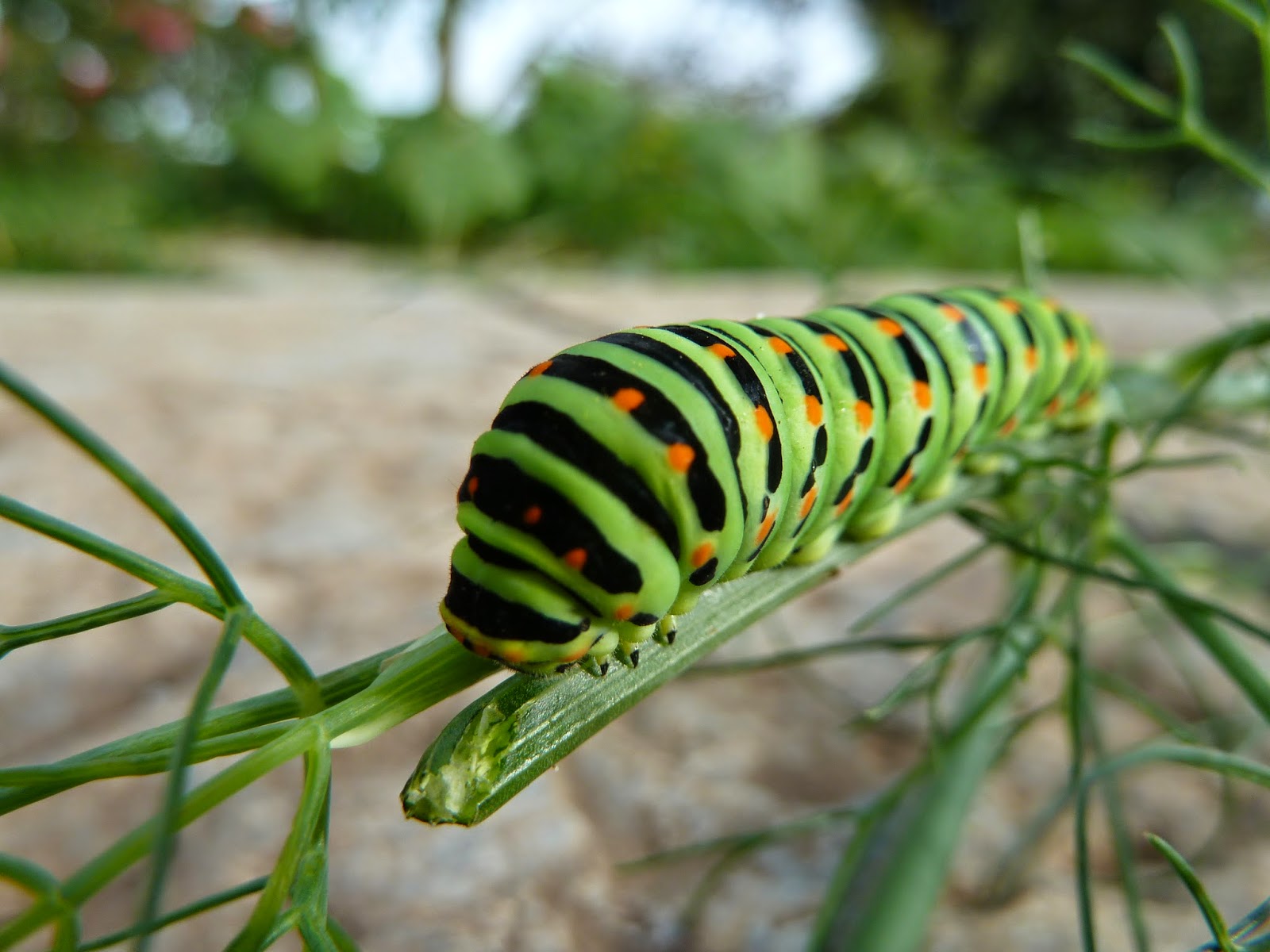
Elephant Head Hawk Moth caterpillar

Red Admiral caterpillar

Learning about editing photos and how it affects resolution. A close up detail of a grim face.

A young prickly visitor in our back garden captured by a 12 yr old.
Zooming in on mum the parasites on her ears are clearly visible although not so obvious in real life.

Zooming in on mum the parasites on her ears are clearly visible although not so obvious in real life.

School made scarecrow on slug deterrent duties.

Here is what I saw happening.

This is what he was wondering at, one tree 5 trunks, he decided that perhaps all were from separate seeds that then fused at the base as the saplings grew. This was uploaded to Google Earth so adding an extra edge to the value and pride gained from a simple snap.

Danger danger. Spotted on the cliff path lear Looe and taken by a 12yr old with an iPhone on zoom. Taking the photo helps to embed the image and so remember it for future encounters.

A short lived phenomenon in the grounds of Petworth House that encapsulated both Science and Art.

Our den in in woods near Rudgwick.

Exploring a river near Golitha falls this was a hundred meters or so of gentle bobbing along, he was first enticed in by things on the bottom such as the sparkles of mica flakes. What was missing was a tough underwater ready camera so a proper view of the mica sparkles could have been captured.

It is very important to check out places you intend taking young children outdoors, although many of them will instinctively spot things that are not right, that doesn't mean they won't try and find out what happens when you use a broken thing.

How do you know who took what? These are number stones but could become 'me stones' by using initials painted on in acrylic or using acrylic markers. Placing their stone in a photo or video will help show who took what and avoid conflicting claims.

A waterproof camera is useful.

Revisiting the same location where the cormorant encounter took place but this time with a GoPro the boys took video of cliff jumping

And further out some pics of the deeper blue world.

On the end of an extendable 'selfie stick' a GoPro becomes an excellent tool for reaching places that are normally out of reach. This can be particularly valuable for small children or anyone in a wheelchair or with other mobility difficulties as it helps to gain a higher level perspective such as looking over walls.
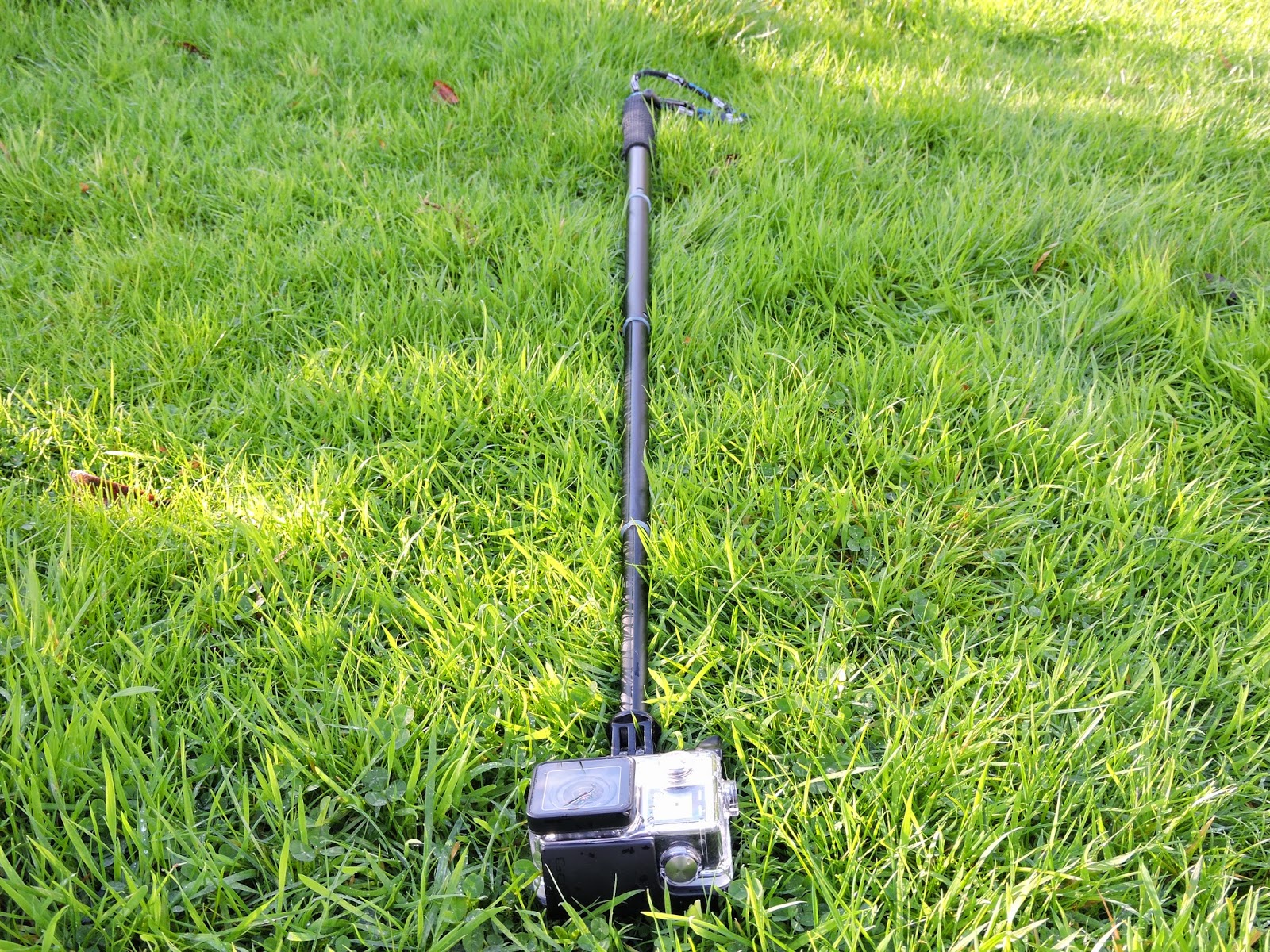
12 year old exploring how to use a GoPro on a stick in the Eden Project.

